
Roles and permissions in Marloo
What Advisors, Support, Managers and Account owners can each see and change in Marloo, and which role to give a new team member.
Every team member has one of four roles: Advisor, Support, Manager or Account owner. The role sets whose calendars they can open, which clients they can see and which firm settings they can change. Read this if you are picking a role for a new team member, or a button you expect is not showing for you.
Roles build on each other. Manager includes everything Advisor and Support can do. Account owner includes everything Manager can do. Head to Settings > Team to see each team member's role.
What each role can do
The table lists what a team member can do in Marloo, by role. The sections below explain each role in more detail.
| Permission | Advisor | Support | Manager | Account owner |
|---|---|---|---|---|
| Record meetings and generate summaries | Yes | Yes | Yes | Yes |
| See clients marked shared | Yes | Yes | Yes | Yes |
| Create personal templates (if allowed) | Yes | Yes | Yes | Yes |
| Open another advisor's calendar on Meetings | No | Yes | Yes | Yes |
| See every client in the firm, including private ones | No | No | Yes | Yes |
| Filter Clients to a named advisor's list | Yes | Yes | Yes | Yes |
| Set whether new clients start private or shared | No | No | Yes | Yes |
| Create and manage user groups | No | No | Yes | Yes |
| Change team members' roles and deactivate them | No | No | No | Yes |
| Enforce multi-factor authentication for the firm | No | No | No | Yes |
| Turn personal template creation on or off for the team | No | No | No | Yes |
| Edit locked team templates and other people's private templates | No | No | No | Yes |
| Change the firm's calendar settings | No | No | No | Yes |
| Uses a billed seat | Yes | No | Yes | Yes |
Only Support is free. See Which Marloo roles are billed?.
Advisor
The standard seat for someone who advises clients.
- Records meetings and generates summaries for their own clients.
- Sees their own calendar on Meetings. There is no advisor switcher.
- Sees every client marked shared. Sees a private client only if they advise it, or belong to a group granted one of its advisors.
- Can view their own client list, the whole firm's, or another advisor's list from the title dropdown on Clients.
- Can create personal templates, unless an Account owner has turned that off for the firm.
Support
The free seat for paraplanners, client service staff and anyone working across several advisors.
- Opens any advisor's calendar. On Meetings, click the arrow next to the title, then pick a name under Search team members. You see their upcoming, today's and past meetings as they do.
- Edits meeting summaries for those advisors.
- Sees every client unless it is private. A private client shows only if the Support member is in a group granted one of its advisors.
- Has no calendar of their own in the switcher. Support members do not appear under Search team members, so nobody can open a Support member's calendar.
Manager
A billed seat for someone who oversees a team of advisors.
- Everything Support can do, including opening any advisor's calendar.
- Sees every client in the firm, including private ones. No share or group grant is needed.
- Sets whether new clients start private or shared, in Settings > Company settings > Clients. Existing clients do not change.
- Creates and manages user groups. See Creating and managing user groups.
Account owner
The role that runs the firm's Marloo account. Every firm needs at least one. Marloo has no role called Admin: when someone says admin, plan admin or firm admin, they mean the Account owner.
Everything a Manager can do, plus:
- Changes roles and deactivates people in Settings > Team. Only Account owners see the three-dot menu next to a name.
- Enforces multi-factor authentication for everyone, with a deadline, in Settings > Company settings > Security.
- Controls templates in Settings > Company settings > Templates. The switch Let team members create personal templates turns personal templates on or off for the firm. Account owners can always create templates, edit locked team templates and open any team member's private template.
- Changes calendar settings for the firm, such as allowing multiple or read-only calendars.
You cannot remove the last Account owner. Changing their role or deactivating them shows an error saying they are the last account owner. Make someone else an Account owner first.
Who can see a meeting
Meeting visibility does not depend on role. A shared meeting is visible to anyone in the firm through the client's profile. A private meeting (three-dot menu on the meeting) is visible only to the people who attended, Account owners and Managers included. An Account owner's Data export still includes private meetings and their transcripts. The advisor switcher changes whose calendar you are looking at, not what you may see.
Give someone a role
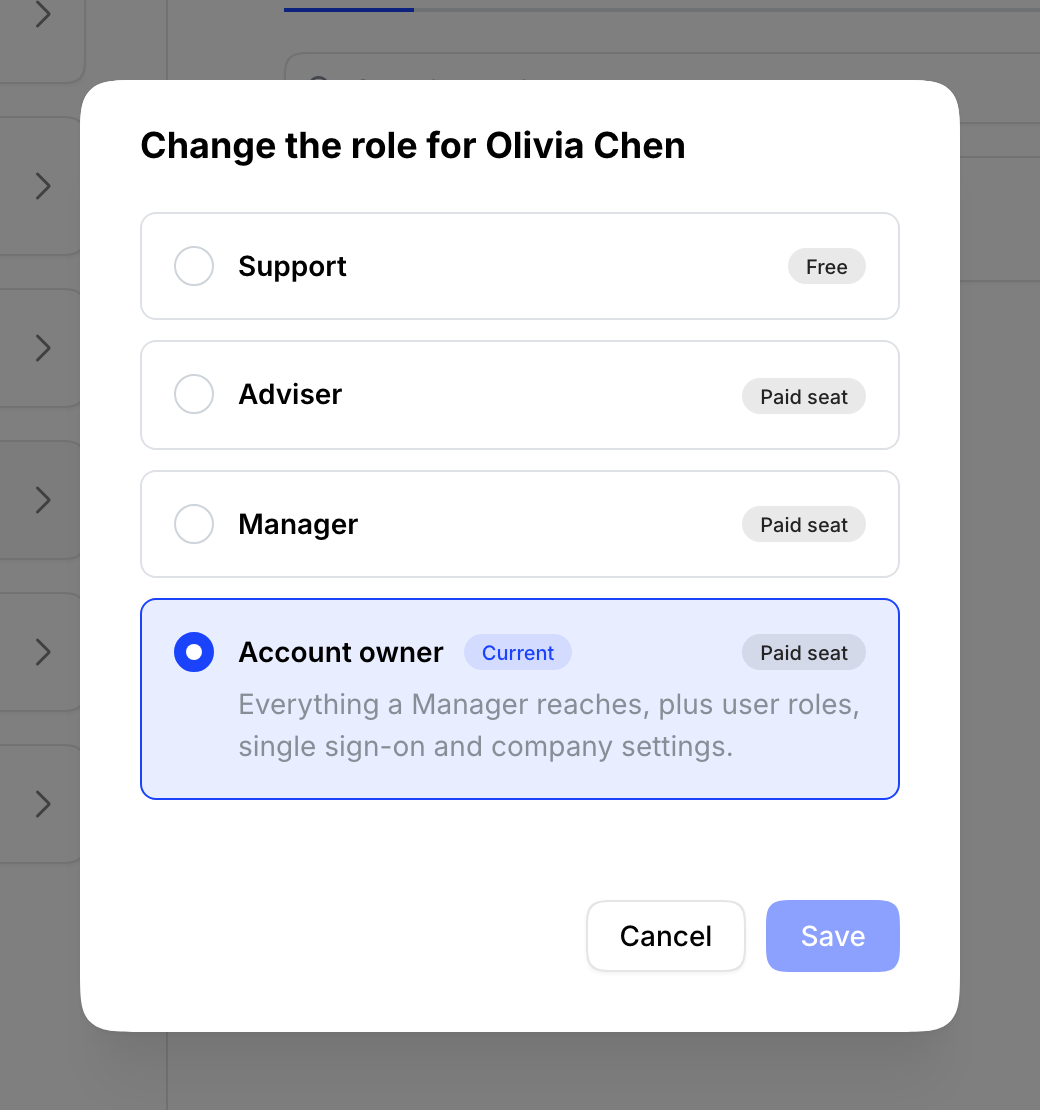
When you invite someone in Settings > Team, you can choose any role up to your own: Advisors and Support can invite Advisor or Support, Managers can also invite Manager, and Account owners can invite any role, including Account owner. To change an existing team member's role, an Account owner uses Change role from the three-dot menu next to their name. Steps are in Invite and manage team members.
Related articles
Still stuck? Talk to a human.
Email the Marloo team with what you are seeing. If you are in the app, the blue chat button in the bottom-right corner is the fastest way to reach us.


