
How templates work in Marloo
Templates in Marloo create notes in your style with your chosen content. They can also generate emails and advice documents, saving you time.
Templates in Marloo create notes in your style with your chosen content. They can also generate emails and advice documents, saving you time.
What are templates?
Templates are the reusable structures that tell Marloo how to handle your meetings, documents, and tasks. Instead of defining what you want each time, you set it up once in a template and Marloo applies it consistently across your workflow.
There are three types of templates in Marloo, each serving a distinct purpose.
The three template types
| Type | What it does | Where to find it |
|---|---|---|
| Meeting | Controls the structure and content of meeting summaries generated from transcripts and notes. | Templates > Meetings |
| Document | Controls how Marloo generates advice documents: financial plans, annual reviews, and similar. | Templates > Documents |
| Task | Defines a pre-built task structure with names, due dates, priorities, and subtasks that you can apply to a client. | Templates > Tasks |
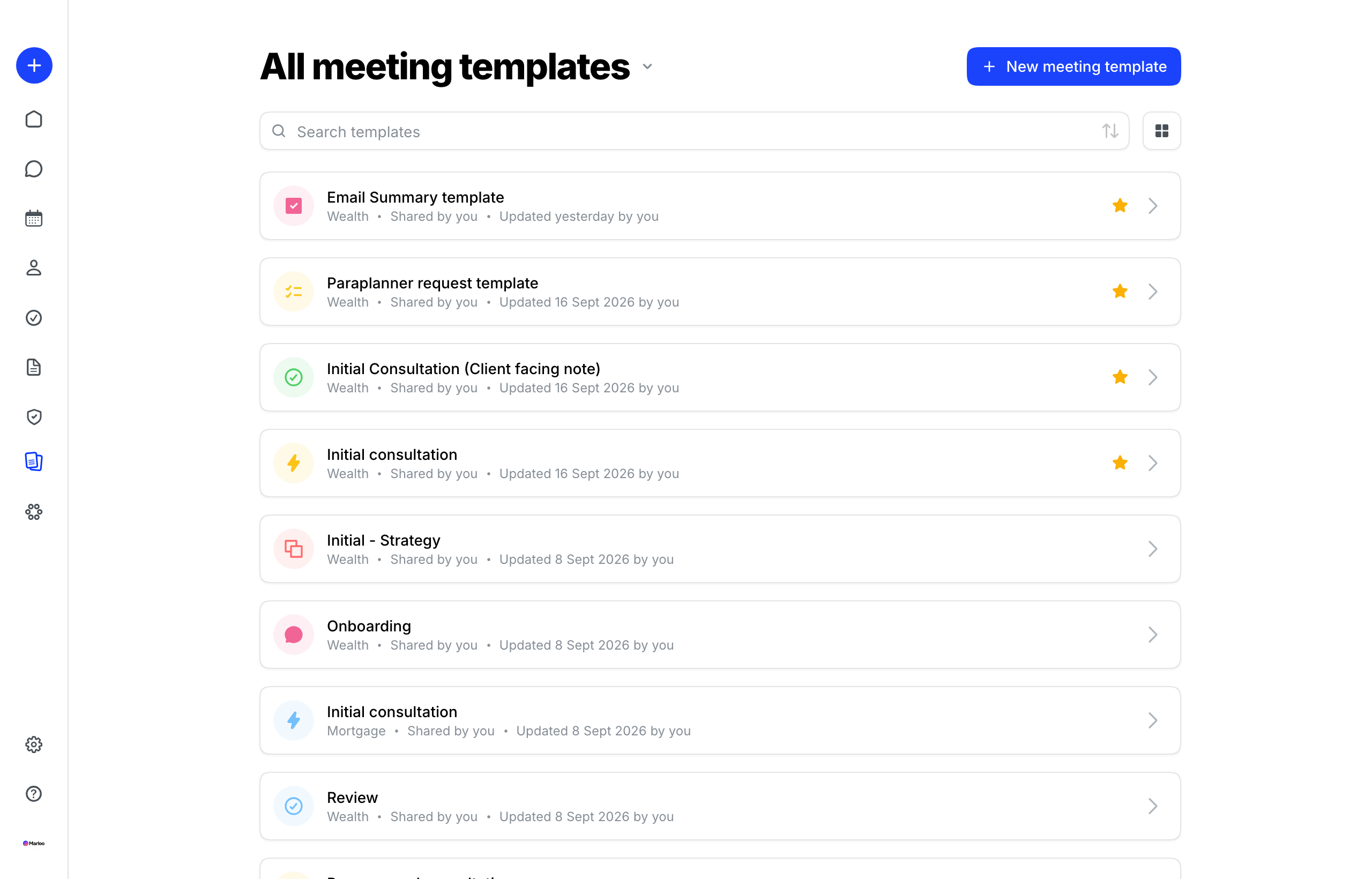
Meeting templates
A meeting template defines what appears in your meeting summary: which sections to include, what questions to answer, and how to structure the output. When a meeting is processed, Marloo uses the selected template to generate the summary from the transcript and any notes you've added.
Different meeting types often need different templates. For example, a discovery meeting summary might need a section capturing goals and financial position, while a review meeting might need a section summarizing progress against recommendations.
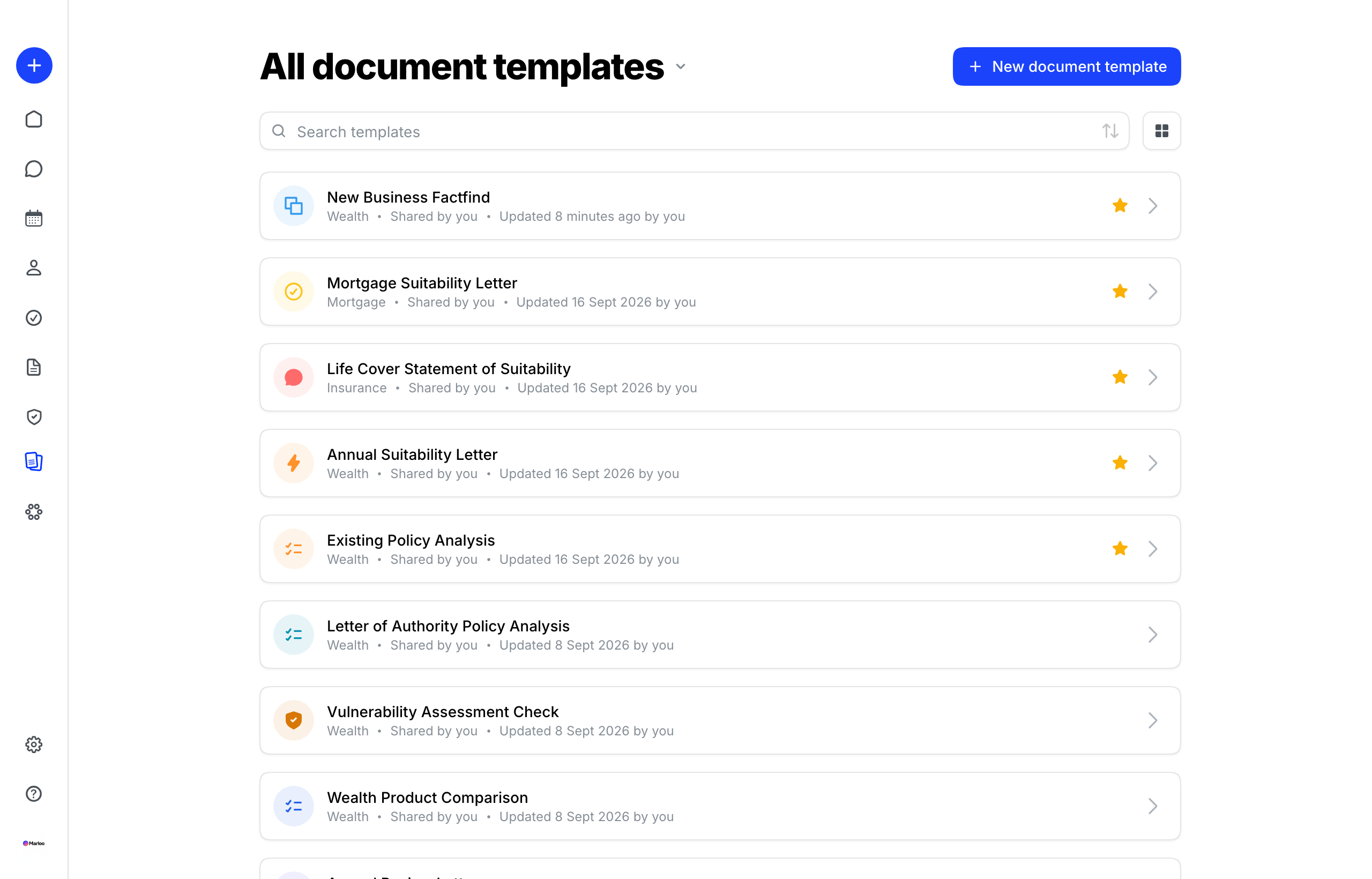
Document templates
A document template is the structure and rules that control how Marloo generates advice documents. It tells Marloo what to include in each section, what to keep as fixed text, and what to generate from client context.
Document templates are used when generating documents from the Documents section, not triggered directly from the Templates section. See the note below on this common point of confusion.
Task templates
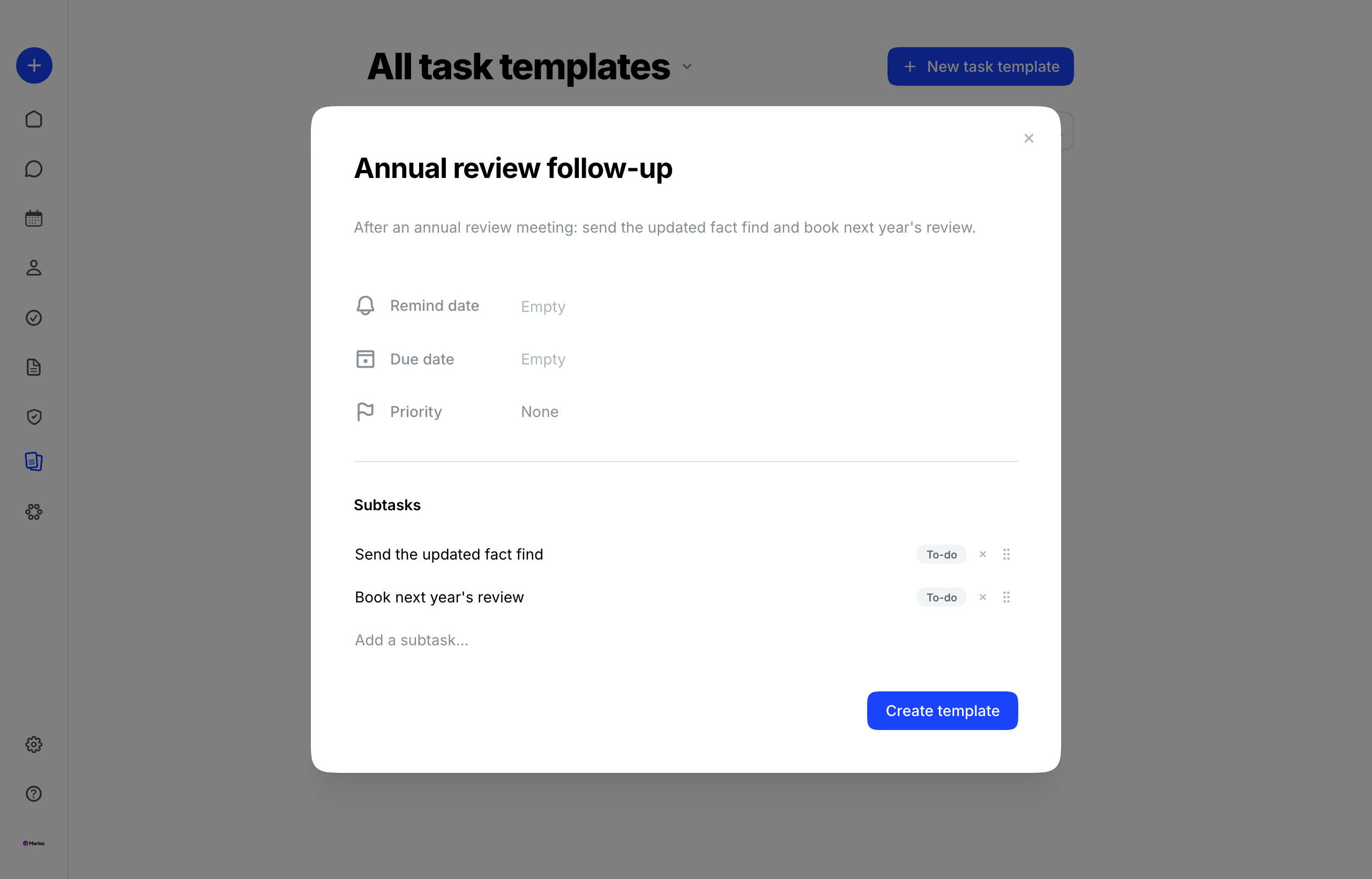
A task template is a pre-defined task structure you can apply to a client. Each template includes task names, due dates, priorities, and optional subtasks. You build the template once and apply it whenever that workflow applies to a client.
Task templates are useful for repeatable processes like onboarding, annual reviews, or insurance applications; anywhere you follow the same sequence of steps.
Default templates
When you complete the Marloo sign-up flow, you select the type of advice your practice provides. Based on that selection, Marloo automatically creates a set of default meeting templates suited to your advice type.
These defaults are ready to use straight away. You can edit them to match your firm's style, use them as a starting point for new templates, or replace them entirely.
Document templates are not created automatically. To add one of Marloo's pre-built document templates, go to Templates > Documents, click New document template and choose Use Marloo template. Marloo makes you an editable copy.
Creating meeting and document templates
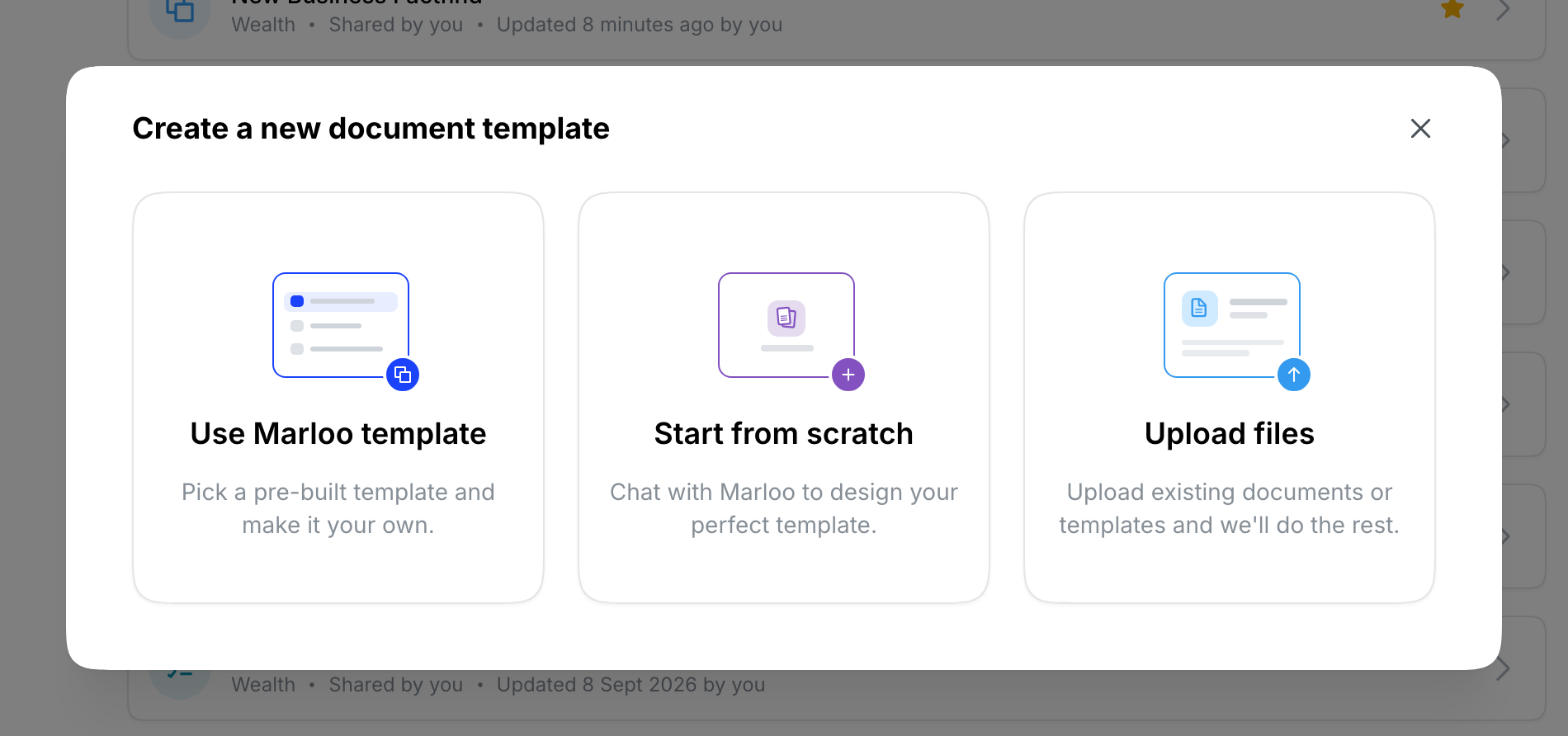
Both meeting and document templates can be created three ways. You'll see these options when you click New meeting template or New document template.
- Use Marloo template: Pick one of Marloo's pre-built templates and Marloo makes you an editable copy. To copy one of your own templates instead, choose Save a copy from its three-dot menu.
- Start from scratch: Build a new template using the Ask Marloo chat. Describe what you need and Marloo generates a starting structure for you to refine.
- Upload files: Upload a Word document (.doc or .docx) or a PDF and Marloo converts it into a working template. Recommended for document templates based on your firm's existing financial plan format.
Templates and documents: a common confusion
Templates is where you build and manage your templates. Documents is where you actually generate advice documents for clients.
When you're ready to generate a document for a client, go to Documents in the left sidebar, not Templates. From there, you select a document template, choose the client context, write your instructions, and generate.
If you're looking for where to upload or edit your document template structure, that's in Templates > Documents. If you're looking to generate an actual document for a client, that's in Documents.
Organization templates
If your firm operates under an organization, you can use the templates it shares for generating financial plans. Ask Marloo support to link your firm to your organization, and its templates become available in your template library.
See Create and upload document templates for using them.
Still need help?
See Template troubleshooting for common issues with creating, sharing, and using templates.
Related articles
- Template editor - How to edit templates and use Ask Marloo to refine them
- Manage, share, and organize your templates - How to share, lock, and organize your templates across your team
- Template troubleshooting - Common template issues and fixes
- Templates FAQ - Short answers about creating, sharing and editing templates
Still stuck? Talk to a human.
Email the Marloo team with what you are seeing. If you are in the app, the blue chat button in the bottom-right corner is the fastest way to reach us.


