
Meet in person
Put your phone on the table and give the client your full attention.
Mobile App
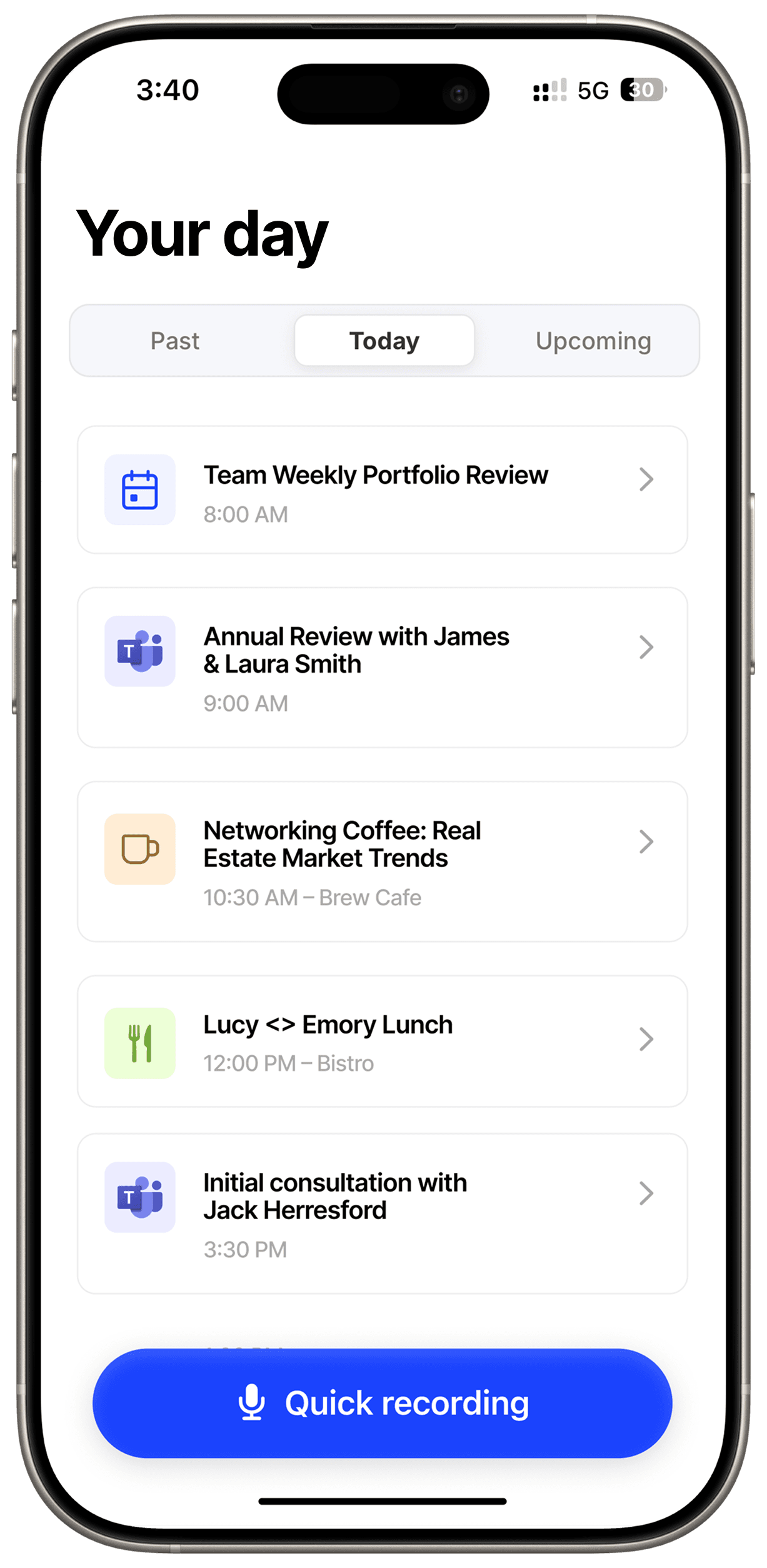
Record in-person client meetings, quick conversations and voice notes from your phone. Marloo uploads the audio and turns it into a transcript and clear meeting notes.
Why it helps
Not every useful conversation happens on Zoom or Teams. The mobile app gives in-person meetings and quick voice notes the same clear follow-up.
Put your phone on the table and give the client your full attention.
Choose a calendar meeting or start a quick recording.
The audio stays on your phone until you are back online.
How it works
Open the app, record the conversation and let Marloo handle the notes when the meeting is done.
Choose a meeting from your calendar or start a quick recording for an unscheduled conversation.
Keep the app open while you meet. If you lose internet, the recording stays safely on your phone.
Upload the recording, add the client and use your template to make the transcript and file notes and meeting summaries.
“We thought our existing AI notetaker was great… until we used Marloo. It's a 100% step up in quality, speed and ease of use. The customisable templates are a gamechanger. We've moved the whole Financial Planning team to Marloo.”

Rebecca Aldridge
Director, Balance Wealth
“This is the best tech I have. It is amazing. I have now used it via telephone recordings, zoom recordings and now going through the templates. This is a game changer. This is the best tech in Australia!”

Simon Rayner
Director, Dynamic Orange
“I tested it with a phone call and was very impressed. I then did a diary note from a phone call and loved that it calculated the BMI for me!!”

Keith Gully-Davies
Director, Cornerstone
“I was very impressed. Meeting recording and the summary was very good. Pretty minimal amount of adjustments made to the summary. It would have saved me about 30 minutes to complete plus a reduction in the mental load.”

Nga Vu
Adviser, Lautum Life
Built for work away from the desk
Marloo stores an offline recording on your phone. Once you are connected again, open the app and upload it to your meeting list.
See scheduled meetings from your connected calendar
Start a quick recording for an unplanned conversation
Keep offline audio on your device until it uploads
Continue the work in Marloo on the web
Connect your calendar and choose the meetings Marloo should join. It keeps the transcript and turns it into a structured, editable summary using the template you select.

Automatic transcription and summarisation from every meeting

Key action items and decisions captured without lifting a finger

Works with Zoom, Teams, Google Meet, and in-person meetings
Every meeting, document, email, task, and note for every client in a single timeline. Instant context before any interaction. No more digging through folders and inboxes.
Every client interaction in one timeline. Meetings, documents, emails, tasks.
Instant context before every client interaction.
Search across all client data in seconds.
Marloo knows everything about your clients. Get an answer in seconds. Ask it to draft, update, or create, and it gets straight to work.
Ask anything about any client. Marloo searches everything.
Get a paraplanner handover summary in one ask.
Tell Marloo what you need. It gets started.
Yes. Marloo is available from the Apple App Store and Google Play.
Yes. Open a scheduled meeting in the app and tap Start Recording. Keep the app open and place the phone close enough to hear everyone clearly.
Yes. Use Quick Recording for an unscheduled conversation, dictated note or meeting that is not on your calendar.
Yes. Open the app while you still have a connection, then you can record offline. The audio stays on your phone and uploads once you reconnect.
The recording pauses. Open Marloo again and tap play to continue. Audio recorded before the pause is kept.
Not yet. After the recording uploads, open Marloo on the web and add it to the right client.
Direct call recording depends on your phone and local rules. Where it is not available, record the call with a supported method and upload the audio file to Marloo.
For virtual meetings, the Marloo meeting bot is more reliable because it captures each participant directly. The mobile app is best for in-person meetings, quick recordings and uploaded audio.
Set up in minutes. Start with your next meeting, completely free.
Start with your next meetingSee it in action© 2026 Marloo. All rights reserved.
 Teams · 2:00pm – 2:32pm