
Delete a transcript, recording or meeting
How long transcripts are kept, what Expired means, and how to delete a transcript or recording, a recording on the mobile app, or a whole meeting entry.
Transcripts and recordings are kept until you delete them, unless your Account owner has set retention periods in Company settings. There are two: Keep recordings for deletes the audio once it passes, and Keep transcriptions for removes the transcript's text, which then shows as Expired. An expired transcript can no longer be read, edited or exported. Otherwise, deletion is manual. Before you set a retention period or delete records, check how long your local rules require you to keep advice records.
Delete a transcript or recording
This removes the transcript and its audio but keeps the meeting entry, so you can upload a new file or paste a new transcript afterwards.
- Open the meeting from Meetings and go to the Transcript tab.
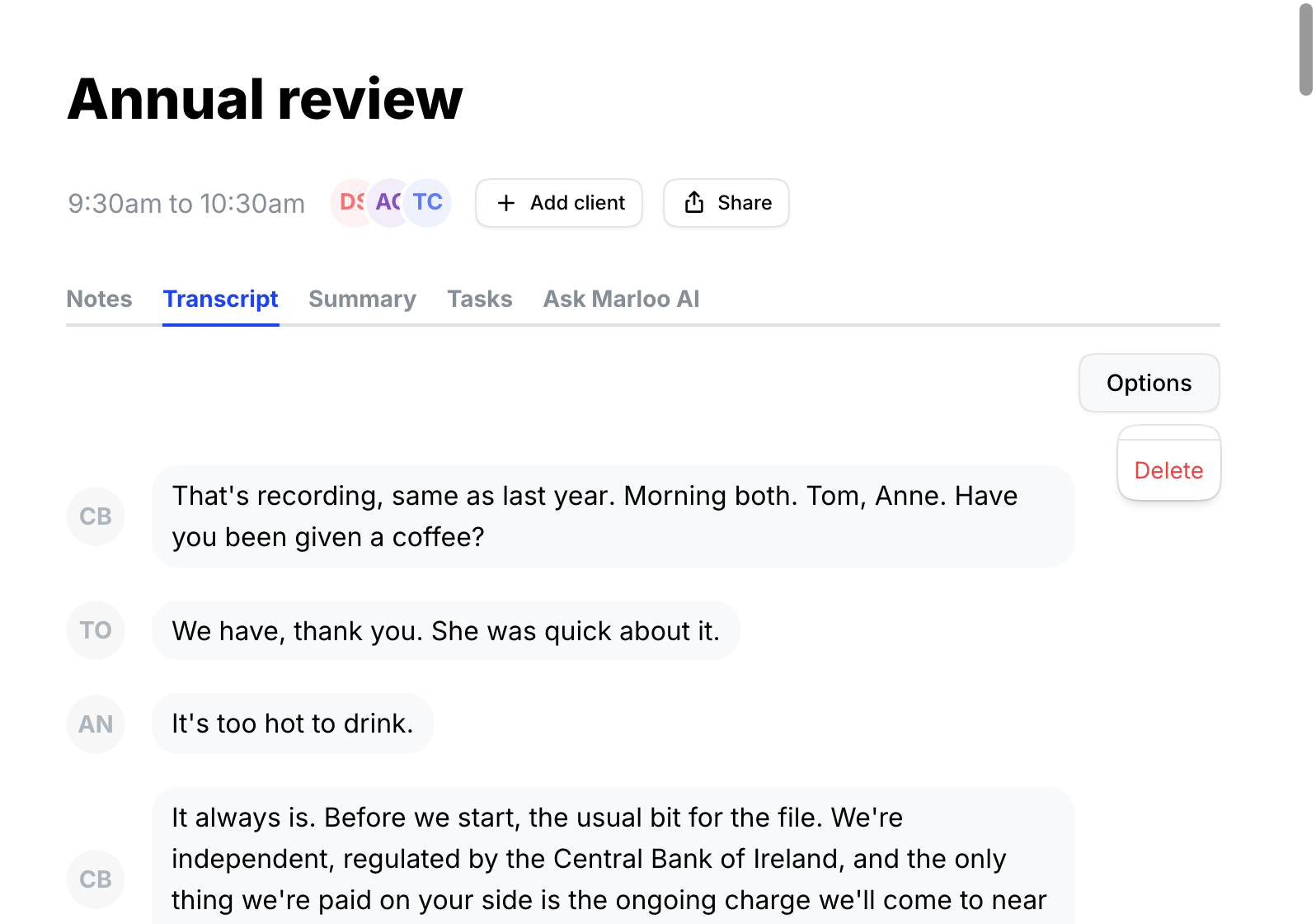
- Click Options next to the audio player, then Delete.
- Confirm. The transcript and audio are permanently removed.
On the mobile app
- Open the meeting under Your meetings.
- Swipe left on the recording. A red trash can icon appears.
- Tap the trash can. This cannot be undone.
Good to know
- Summaries already generated from the transcript are not deleted. To remove one, see Delete a summary.
Delete a meeting
How you delete the meeting entry depends on how it was added.
Synced from Google Calendar or Outlook
These cannot be deleted inside Marloo. Delete the event in your calendar app. Marloo syncs periodically and removes the entry after the next sync.
Created in Marloo
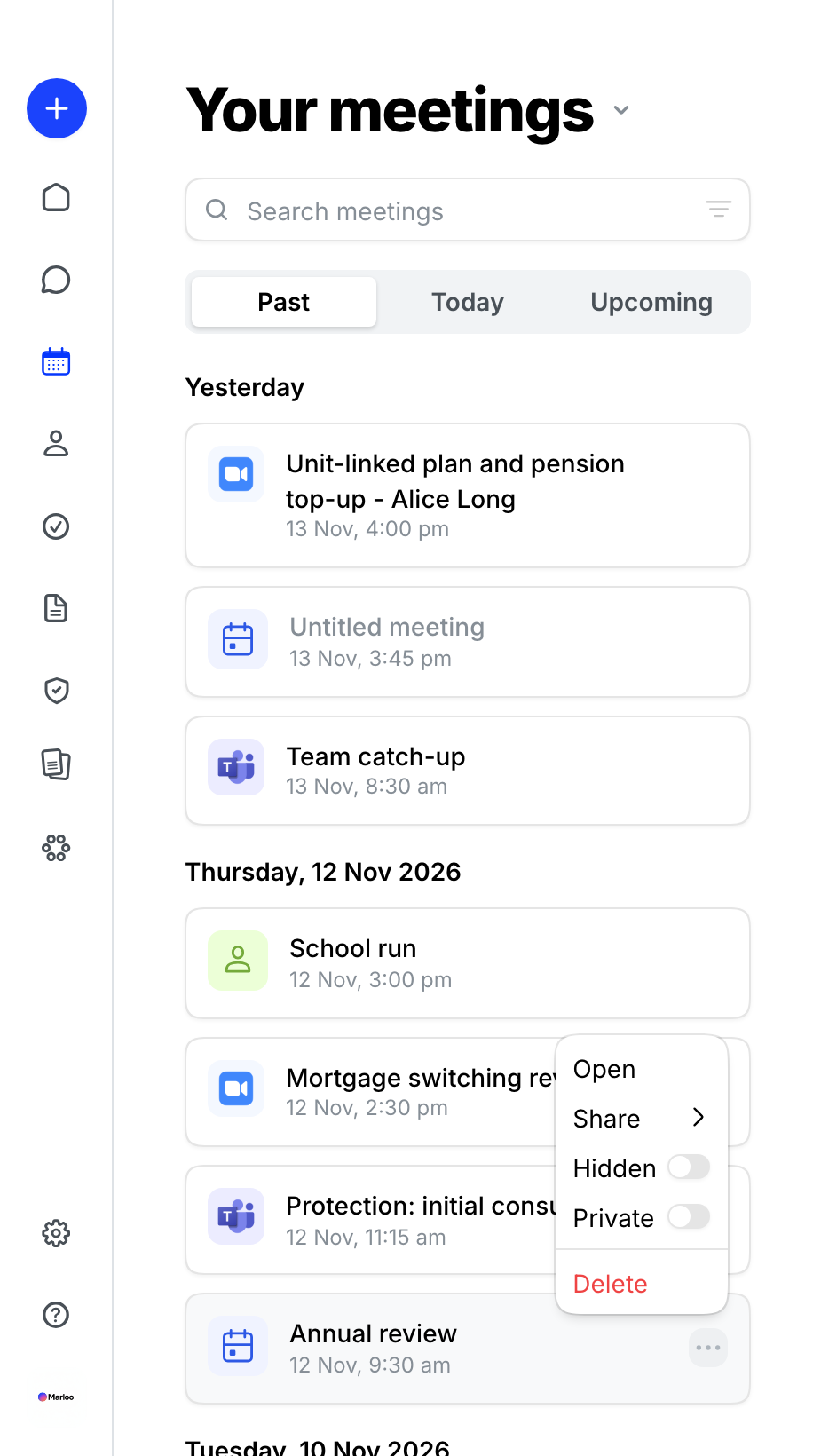
- Go to Meetings and find the meeting in the list.
- Hover over it, click the three-dot menu, then Delete.
- Confirm. This permanently deletes the meeting and everything on it: transcript, audio and summary. It cannot be undone.
Related articles
- Export or delete your firm's data - export your data first, or set recordings and transcripts to delete automatically
- Edit a transcript - rename speakers and correct words
- Meetings FAQ - short answers about meetings and transcripts
Still stuck? Talk to a human.
Email the Marloo team with what you are seeing. If you are in the app, the blue chat button in the bottom-right corner is the fastest way to reach us.


