
Get started from the Home tab
A quick view of your day. Start a new chat, see your next meetings and check your open tasks, all from one place.
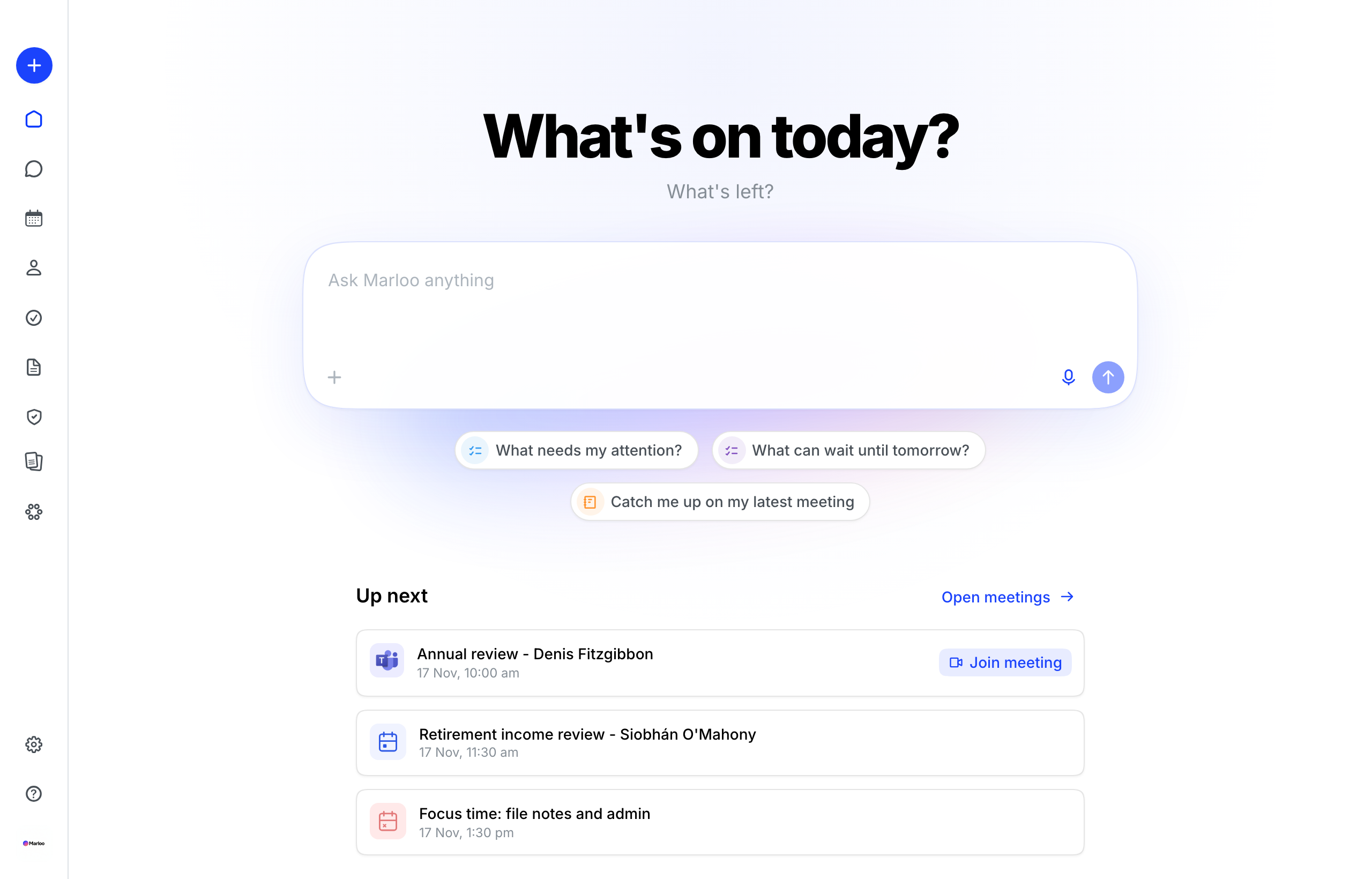
Home gives you a quick view of your day and a place to ask Marloo anything.
From Home, you can:
- Start a new chat with Ask Marloo
- See your upcoming meetings
- Jump back into your recent clients
Home is personal to you. It is not a dashboard for the whole firm.
Ask Marloo a question
Use the box at the top of Home to start a new chat with Ask Marloo.
- Type your question into Ask Marloo anything.
- Add a file if you want Marloo to read it.
- You can also use the microphone to dictate your question.
- Press Enter to send, or Shift + Enter to add a new line.
Your conversation opens on the Chat page, where you can keep asking follow-up questions.
Starting a chat from Home does not change what you can access. The same client, meeting and email rules apply wherever you start the conversation.
See your upcoming meetings
Home shows meetings linked to you.
- If you have meetings today, you will see up to three of them.
- If you have no meetings today, you will see your next upcoming meetings.
- Select a meeting to open it in Marloo.
- Select Join meeting when a video call link is available.
Private meetings only appear for people added to the meeting.
Home does not show another person’s calendar. To find an accessible team meeting, start a chat with Ask Marloo and ask for the colleague or date you need.
Jump back into recent clients
Recent clients shows up to five clients you have worked with recently.
Select a client to open their profile. Home does not list your tasks. Open Tasks to see them, or ask Marloo about your tasks, a colleague’s tasks or tasks across the team.
Who can use Home?
Home can be available to Advisors, Support users, Managers and Account owners. Everyone gets the same personal layout:
- Their own upcoming meetings
- Their own recent clients
- Ask Marloo, using their existing Marloo access
If you don't see Home in the menu, contact us through the help chat.
Related articles
Still stuck? Talk to a human.
Email the Marloo team with what you are seeing. If you are in the app, the blue chat button in the bottom-right corner is the fastest way to reach us.


