
How client profiles work in Marloo
How a client profile is put together and what each tab holds: opening a client, the Overview, Finances, Tasks, Meetings, Notes, Files, Emails, Documents, Slides and Forms tabs, asking Marloo about a client, and where to go for each client job.
A client's profile brings their meetings, files, emails, notes and tasks together in one place you can search and ask Marloo about. As those pieces land (meetings you record, emails that sync, files you upload), the profile gets richer and more up to date, which is what Ask Marloo and document generation draw on. This article explains the profile, then points you to the article for each job.
Open a client
Click Clients in the left sidebar to see your full client list. Select any client to open their profile.

What you'll find in a client profile
Each client profile is organized into tabs. In the current workspace these include:
- Overview: the client summary and the insight widgets. Group profiles also show Members; individual profiles show contact details and linked Groups.
- Finances: structured financial fields for the client, if your firm is on the Firm plan.
- Tasks: work linked to the client.
- Meetings: meetings linked to the client.
- Notes and Files: manually added context.
- Emails: where email sync is set up for your firm, or where the client already has emails in Marloo.
- Documents: generated documents for the client, on the Pro plan.
- Slides and Forms: presentations and filled PDF forms for the client.
For what the Overview tab itself shows, see The Overview tab: summary and widgets.
Ask Marloo about a client
Use the Ask Marloo panel on the right of any client profile (if it's closed, click Ask Marloo in the bottom-right corner) to query across all meetings, documents, and notes for that client.
Example questions:
- "What did we discuss last meeting?"
- "What was their biggest concern in January?"
- "How is their mortgage structured?"
- "What are their current insurance arrangements?"
Marloo provides direct answers when the information is clear, explains its reasoning when inferring, and always cites which meeting, document, or note the information came from.
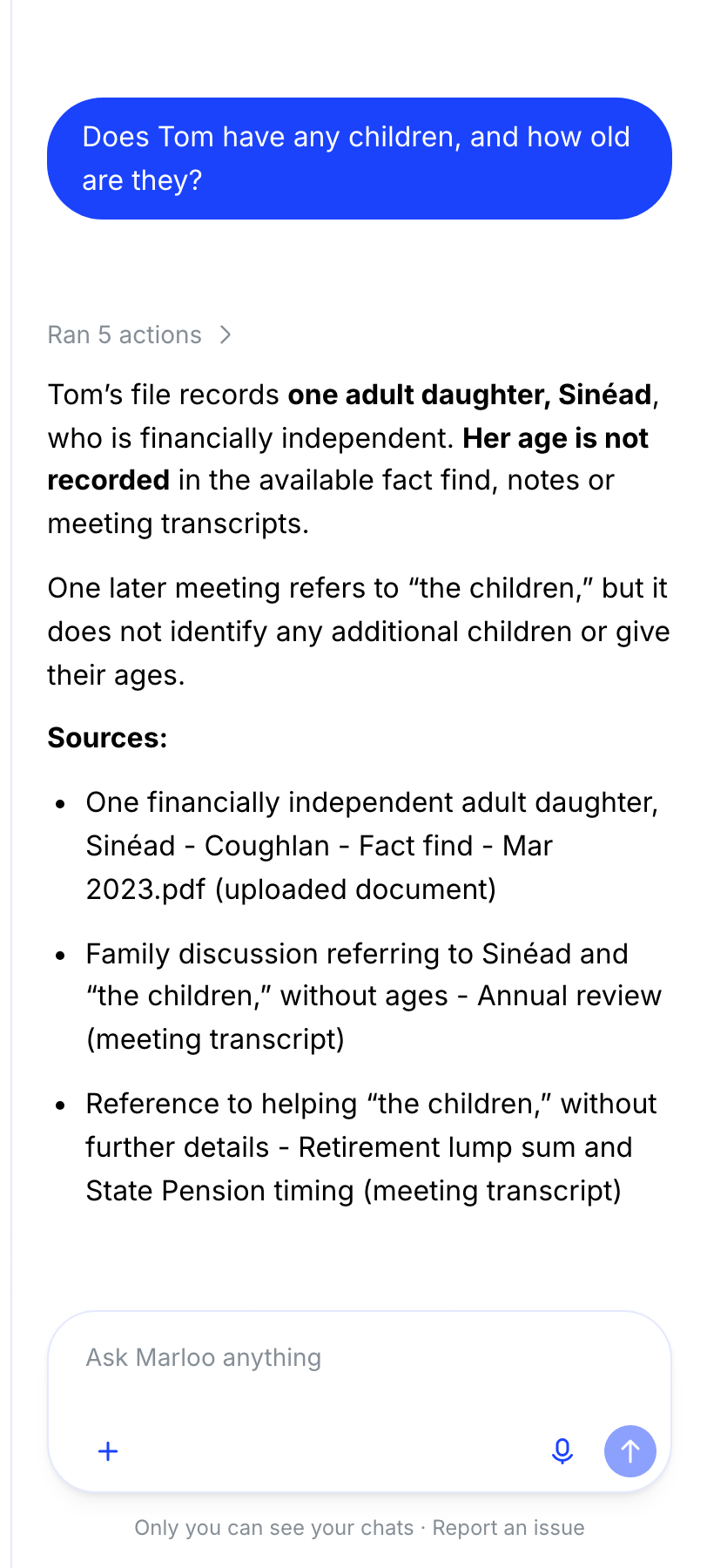
For the full guide, see Use Ask Marloo on a client.
What you can do with a client
- Create, group, merge or split client records - add a client, build a group (such as a household), and fix duplicates.
- Manage your client list - sort, tag, filter, favorite, and tidy away non-clients.
- Bulk upload your client list - import an existing client book from a spreadsheet.
- The Overview tab: summary and widgets - the auto-generated summary and the insight widgets.
- Control who can see a client - private and shared clients, and who advises them.
- Upload, find and organize files on a client - the Files tab, what to upload, and how to search it.
- Fill client forms and send them for signature - set up your form library, fill forms from the client's record and send them for signature.
- Add or remove clients on a meeting - linking a meeting so it appears in the client's profile.
- Tasks - the Tasks tab on a client, and the Tasks page.
Related articles
- Client profile FAQ - short answers to the questions we get most often.
- A file, meeting or insight is missing from a client - what to check when something has not appeared.
- Use Ask Marloo on a client - full guide to querying client data with Ask Marloo.
Still stuck? Talk to a human.
Email the Marloo team with what you are seeing. If you are in the app, the blue chat button in the bottom-right corner is the fastest way to reach us.


