
Using Marloo as your CRM: client records, groups, tasks and pipeline
How to use Marloo as your CRM: the client record, getting clients in, tasks, pipelines and workflows.
Marloo is an AI CRM for financial advice firms, so your clients live in Marloo, whether it replaces your current CRM or works alongside it. This guide covers how the client record works, how clients get in, tasks, pipelines and workflows.
How the client record works
Every client has a record with its own profile. Click Clients in the left sidebar and select a client to open it. The record has these tabs:

-
Overview, Finances, Tasks, Meetings, Notes, Files, Emails, Documents, Slides and Forms. If a tab isn't visible, open More.
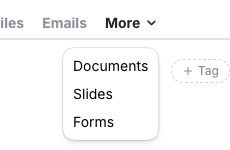
Your work files itself onto the record as you go:
- Meetings: meetings on Zoom, Teams and Google Meet are recorded, and the notes are logged to the client. In-person meetings are recorded on the mobile app.
- Emails: connect Outlook or Gmail and client emails file onto the client's Emails tab. Setup is in Connect your calendar.
- Accounts: connected account data is updated daily.
Each tab is explained in How client profiles work in Marloo. Ask Marloo answers questions across your whole book, and from a single client's profile.
Groups (households)
You can put related clients in a group, such as a household, and merge or split records to fix duplicates. The steps are in Create, group, merge or split client records.
Get your clients in
Moving from another CRM is a one-time import. CRM migration is free, and Marloo's team can move your data the same day. Follow Move your clients to Marloo from another CRM. Marloo imports from other CRMs; it doesn't keep syncing with them afterward.
Tasks
Marloo creates tasks from your meeting summaries, and they appear on the client's Tasks tab. To reuse a standard process, go to Templates > Tasks > New task template. Enter your task details and subtasks, then click Create template.
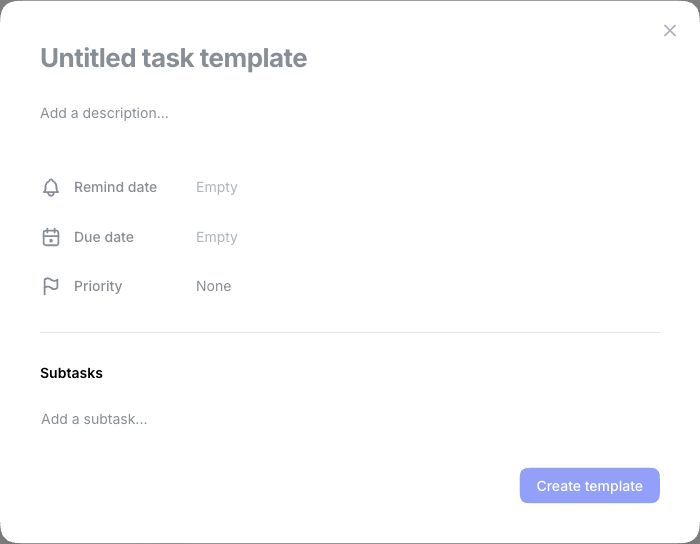
How tasks are generated, assigned and managed is in Tasks.
Pipelines
Pipelines hold the stages for your prospects and clients, so you can see where each one is. See Track clients through a pipeline.
Workflows
A scheduled chat works as a workflow. Set Marloo to run a task on a schedule, and it covers most of what firms want to automate.
Related articles
Still stuck? Talk to a human.
Email the Marloo team with what you are seeing. If you are in the app, the blue chat button in the bottom-right corner is the fastest way to reach us.


